 EvE3UM
Software
In Partnership w/ Above and Beyond Legal Services
EvE3UM
Software
In Partnership w/ Above and Beyond Legal Services
 Live In the Microsoft Store
A happy household decided by the spin.
Wheel of Fate Family Planner turns chores, meal planning, budgets, and family decisions into a fun weekly ritual. Pay once no subscriptions, no in-app purchases, no ads, and no account to create.
- Works on Windows 10 and 11
- One-time purchase, no ads
- Everything stays on your PC
Why Wheel of Fate Family Planner?
From weekly chores to movie night.. plan, decide, and track it all in one Windows desktop workspace.
-
Chore Wheel & teamwork
Add the week’s chores and let fate decide. Spin to assign dishes, vacuuming, and trash or switch to teamwork mode so family members can claim them.
-
Weekly tracker
Check chores off on the Weekly Tracker as they’re done, and see at a glance what’s finished, in progress, or still up for grabs.
-
Weekly menu & money plan
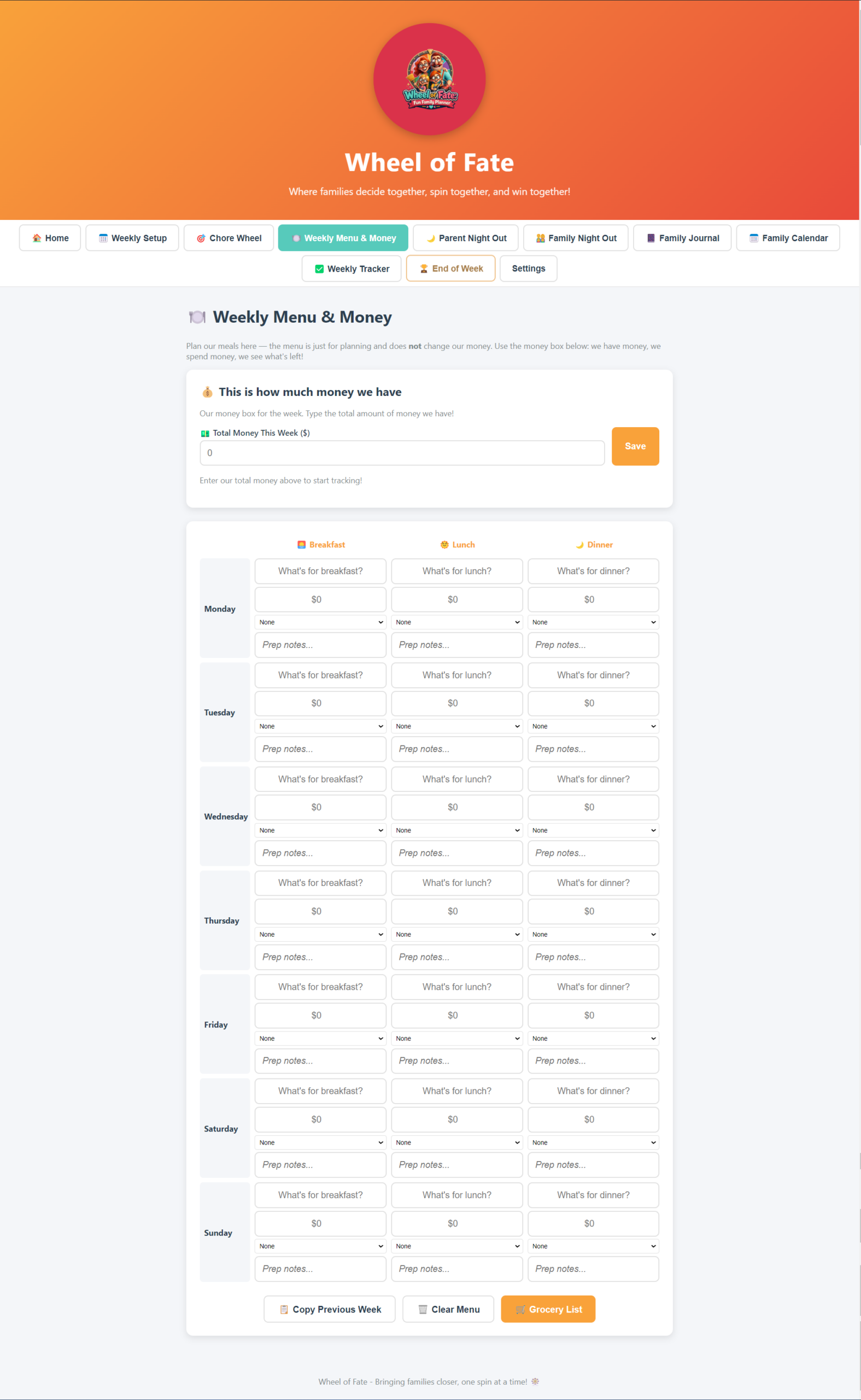
Plan breakfast, lunch, and dinner for the whole week in one place. The money box stays separate on purpose menu planning never touches your budget.
-
Money box
Add money in, spend money out, and instantly see what’s left. A simple household ledger that keeps itself out of the way.
-
Instant family decisions
Can’t agree? Type in your options and let the wheel settle it. Dedicated wheels for Parent Night Out and Family Night Out, plus a custom wheel for anything else.
-
Family journal & calendar
Capture memories in the Family Journal, keep everyone in sync on the Family Calendar, and wrap up the week together on End of Week.
Talk to us about Wheel of Fate Family Planner.
Tell us what your household looks like and how you run the week today. We will come back with how the app fits your routine, how the one-time Microsoft Store purchase works, and answers to your questions.
- One-time purchasePay once in the Microsoft Store. No subscriptions, no in-app purchases, no ads.
- Everything stays on your PCNo account to create, no data sent to the cloud. Works offline.
- Reply from a personWe respond to enquiries within one business day.
Already decided, or would rather start inside Microsoft? Get Wheel of Fate Family Planner from the Microsoft Store to download it, or send us a note with the form, your message comes straight to our team.